
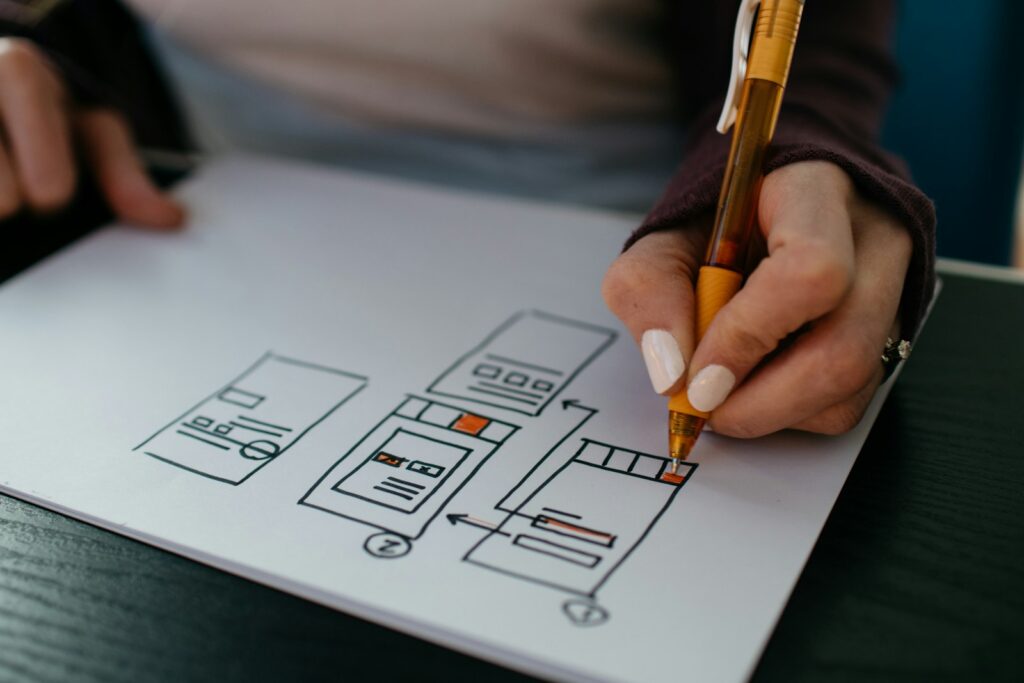
The demand for websites has never been higher. In 2026, every small business, startup, solopreneur, and local service provider needs an online presence — and most of them don’t have the skills or time to build one themselves. That’s where you come in. A freelance web design side hustle is one of the most accessible and profitable ways to earn extra income from home, with beginners earning anywhere from $500 to $5,000 per project.
The best part? You don’t need a computer science degree or years of coding experience. With today’s drag-and-drop website builders, AI-assisted design tools, and a willingness to learn, you can land your first paying client within weeks — not years.
This guide walks you through exactly how to start a freelance web design side hustle in 2026, from learning the fundamentals to finding your first clients.
Why Web Design Is a Great Side Hustle in 2026
- High demand: Over 70% of small businesses don’t have a website. Those that do often need redesigns or updates.
- Low startup cost: You can start with a laptop and free tools. No expensive certifications required.
- Flexible schedule: Work around your 9-to-5. One project per week can add $1,000+ to your monthly income.
- Scalable: Move from $500 brochure sites to $5,000+ e-commerce builds as you gain experience.
- Remote-friendly: Work with clients anywhere in the world. No commuting, no office politics.
What Skills Do You Need to Start?
Essential Skills (Learn These First)
- WordPress basics: The CMS powers over 43% of all websites. Learn to install themes, customize pages, and manage plugins.
- Page builders: Elementor, Divi, or WPBakery — these visual builders let you create professional layouts without writing code.
- Responsive design: Your sites must look good on mobile, tablet, and desktop.
- Domain and hosting setup: Know how to point nameservers, install SSL certificates, and manage cPanel.
Nice-to-Have Skills
- Basic HTML/CSS (troubleshooting and minor customizations)
- Basic SEO knowledge (page titles, meta descriptions, image optimization)
- Figma or Canva for mockups and branding
Step 1: Learn the Tools of the Trade
Option A: WordPress + Elementor (Recommended for Beginners)
WordPress powers most business websites. Pair it with Elementor (a drag-and-drop builder) and you can build stunning sites without touching code. Start with a local WordPress installation or a cheap $10/month hosting plan to practice.
Option B: Shopify (For E-commerce)
If you want to specialize in online stores, learn Shopify. It has a steeper learning curve but higher project fees ($1,000–$10,000 per store).
Option C: Webflow (Advanced)
Webflow gives you more design control and is popular with agencies. The learning curve is steeper, but so are the rates — $3,000–$15,000 per project.
Step 2: Build Your Portfolio (Even Without Clients)
You need to show potential clients what you can do. Here’s how to build a portfolio with zero real-world projects:
- Build 3–4 sample sites for imaginary businesses: a local bakery, a fitness coach, a dentist, a real estate agent.
- Volunteer for free: Offer to build a site for a local non-profit or charity in exchange for a testimonial and portfolio credit.
- Redesign an existing site: Pick a poorly designed website and rebuild it. Show “before and after” screenshots.
- Create a mock agency website: Build your own freelance brand site showcasing your services.
Step 3: Set Your Pricing
Pricing is where most new freelancers struggle. Here’s a realistic range for 2026:
- Basic 1–5 page brochure site: $500 – $1,500
- 5–10 page business site: $1,500 – $3,500
- E-commerce store (Shopify/WooCommerce): $2,000 – $10,000
- Monthly maintenance/retainer: $100 – $500/month
- Hourly rate (if you prefer): $40 – $100/hour
Start on the lower end, raise your prices as you get testimonials and a stronger portfolio.
Step 4: Find Your First Clients
Client acquisition is the hardest part. Here are proven methods that work in 2026:
1. Local Businesses (Walk-In Method)
Visit local businesses in your area — restaurants, salons, gyms, clinics — and look at their websites. If they’re outdated or non-existent, offer to build them something better.
2. Freelance Platforms
Upwork, Fiverr, and Freelancer.com have thousands of web design gigs. Start with lower rates to build reviews, then raise prices.
3. Social Media
Post your work on LinkedIn, Instagram, and TikTok. Before/after website transformations do exceptionally well.
4. Referrals
Tell everyone you know that you’re building websites. Your first clients will often come from friends, family, or former colleagues.
5. Cold Emailing
Identify businesses with poor websites, find their email addresses, and send a personalized pitch.
Step 5: Manage the Project Like a Pro
- Use a contract: Always. Include scope, timeline, payment terms, and revision limits.
- Collect 50% deposit upfront: Standard practice. Never start work without a signed contract and deposit.
- Set clear milestones: Design mockup → Client approval → Development → Testing → Launch.
- Deliver more than expected: A quick SEO setup, a logo match, or a performance optimization goes a long way.
Tools and Resources You’ll Need
- Domain registrar: Namecheap or GoDaddy ($10–15/year per domain)
- Hosting: SiteGround, Bluehost, or Hostinger ($10–30/month)
- Page builder: Elementor Pro ($59/year) or Divi ($89/year)
- Design mockups: Figma (free) or Canva (free + pro)
- Stock images: Unsplash and Pexels (free)
- Invoicing: Wave (free) or FreshBooks ($15/month)
- Contract templates: HelloBonsai or And.Co
Scale Up: From Side Hustle to Full-Time Income
Once you’ve completed 5–10 paid projects, consider:
- Partnering with complementary freelancers: Team up with a freelance copywriter who can write the site content while you handle design. Or work with an AI tools consultant to add chatbots and automation to your sites.
- Offering SEO services: Many SEO consultants charge $500–$2,000 per site setup — an easy upsell.
- Build recurring revenue: Offer monthly maintenance packages for $100–$500/month per client.
- Create templates: Sell WordPress page templates on marketplaces like ThemeForest.
Common Mistakes and How to Avoid Them
- Undercharging: Don’t sell yourself short. Start at $500 minimum per project.
- Scope creep: “Can you just add one more page?” — No. Stick to your contract.
- Not using a contract: Verbal agreements lead to disputes.
- Perfectionism: Launch good enough now, iterate later.
- Ignoring mobile design: Over 60% of traffic comes from mobile.
Realistic Timeline: What to Expect
- Weeks 1–2: Learn WordPress + Elementor basics. Build 2 sample sites.
- Weeks 3–4: Create your portfolio site. Start reaching out to potential clients.
- Month 2: Land your first client. Build and deliver their site.
- Month 3 onwards: Raise prices, get referrals, build a steady pipeline.
Final Thoughts
Freelance web design is one of the few side hustles where a single project can pay more than an entire month of part-time work. The skills are learnable, the tools are accessible, and the demand isn’t going anywhere.
Start small. Build one site. Learn from it. Then build another. Within six months, you could easily be earning $2,000–$5,000 per month from your home office.
Ready to take the next step? Check out our guide on how to start a freelance copywriting side hustle to pair content services with your web design offering. Or learn how freelance bookkeeping works as another service to bundle!